Ask your Magento store: an AI assistant for the jobs nobody has time for
AI already writes our emails and plans our trips. In the Magento admin, it can save the hours spent clicking through screens to find out why something is not working.
It is Friday afternoon. The weekend promotion is supposed to give 15% off the new collection, and a customer has just emailed to say the discount does not show in her basket. You open Marketing > Cart Price Rules. The rule is there and it says Active. So you start checking: the dates, the websites, the customer groups, the conditions, the coupon setting, whether another rule with a higher priority stops it. Twenty minutes later you find it. The rule is only for the General group, and she is signed in as a Wholesale customer.
Most of us have had an afternoon like that. Nothing was broken in a dramatic way. The answer was in the store all along, spread over five screens and a few settings nobody remembers changing.
AI is everywhere, except where the work is
In a few years AI has gone from a novelty to something many people use without thinking: it drafts emails, summarises long documents, explains a contract clause, plans a trip. The pattern is always the same. You describe what you need in your own words, and something that has read far more than you have does the tedious part.
The Magento admin has stayed much as it was. It is powerful, and it is also a place where small jobs take a surprising amount of time. A new landing page for a campaign means building it block by block in the editor. A question like "what sold best last month in Scotland?" means a report, an export, a spreadsheet and some filtering. "Why is this order stuck in Processing?" means looking at the order, the invoices, the shipments and perhaps a log file. None of this is hard for an experienced developer. For the person who actually runs the shop, it is time taken from everything else, and often a message to the agency that waits until Monday.
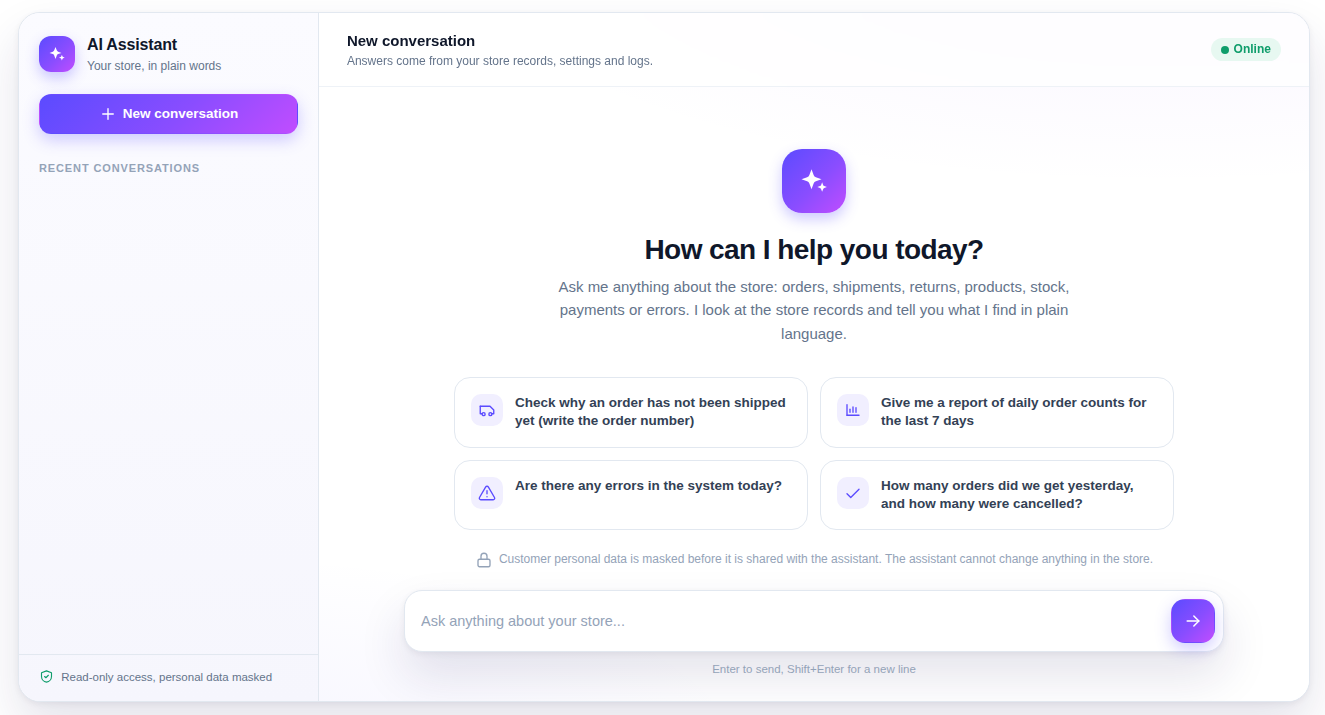
That is the gap we built the AI Assistant module for: a chat in the Magento admin where you ask the store what you want to know, in your own words, and it goes and looks.
What it can look at
When you ask a question, the assistant does what you would do, only faster. It can query the store database, read the configuration, read the log files, search the store's own code, and, if you connect it, look at New Relic. It decides which of these it needs, runs the queries, reads the results and answers in plain language. Every answer shows which AI provider and model wrote it.
Back to the Friday promotion. Asked "why does the AUTUMN15 rule not apply to Sarah's basket?", the assistant can read the rule's settings and compare them with the customer: the website, her customer group, the dates, the conditions, the coupon, the priority of other active rules. Instead of twenty minutes of clicking, you read a short answer that names the setting that does not match and what to change. The same goes for questions like these:
- "Which products have stock but no image, and are visible in the catalogue?"
- "Show me last week's orders that were paid but not shipped, and why."
- "There are a lot of errors in the log since this morning. What are they, and do they affect checkout?"
- "What were sales by payment method in September, compared with August?"
When the answer is a list, it can prepare a CSV file for you to download. When it finds a real problem, it can record it as a ticket so that it does not get lost in the chat. And a question you ask every Monday can become a scheduled question, so the answer is waiting for you.
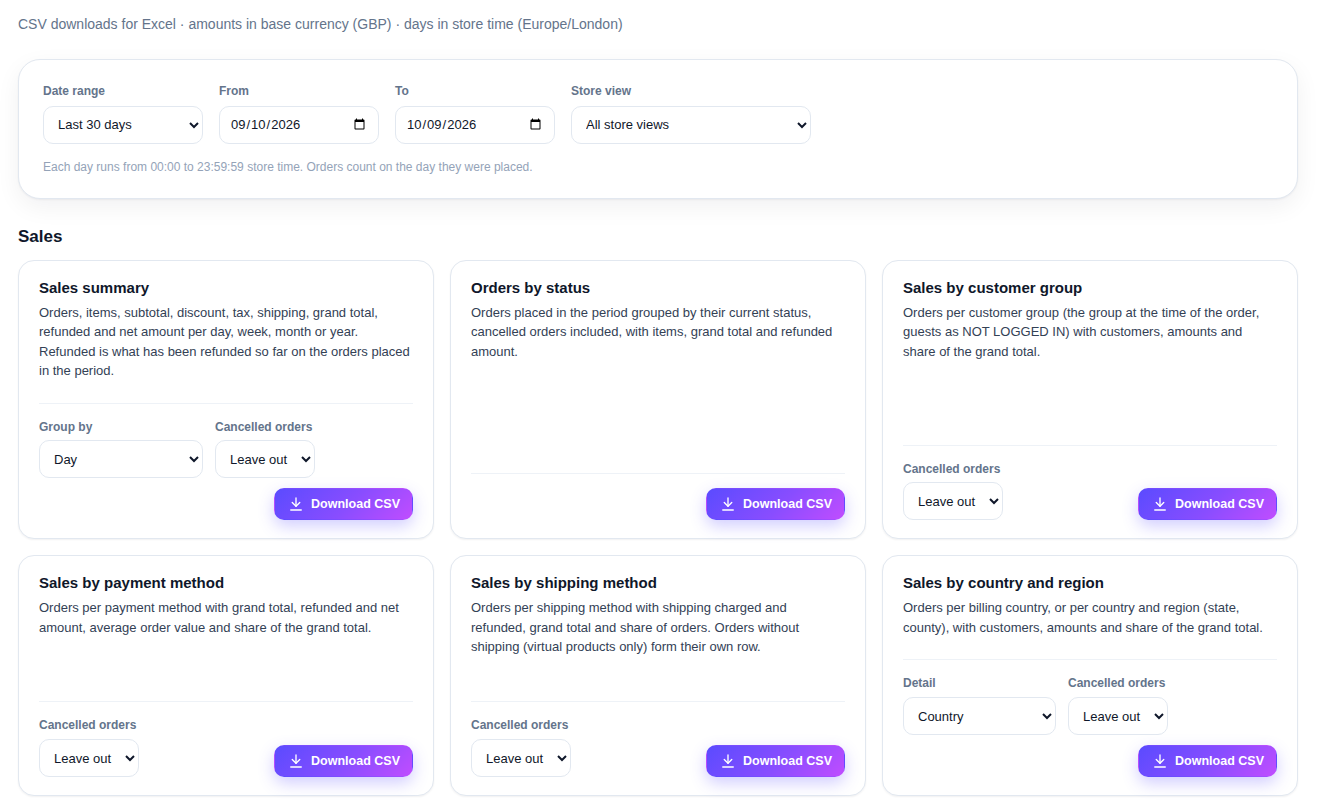
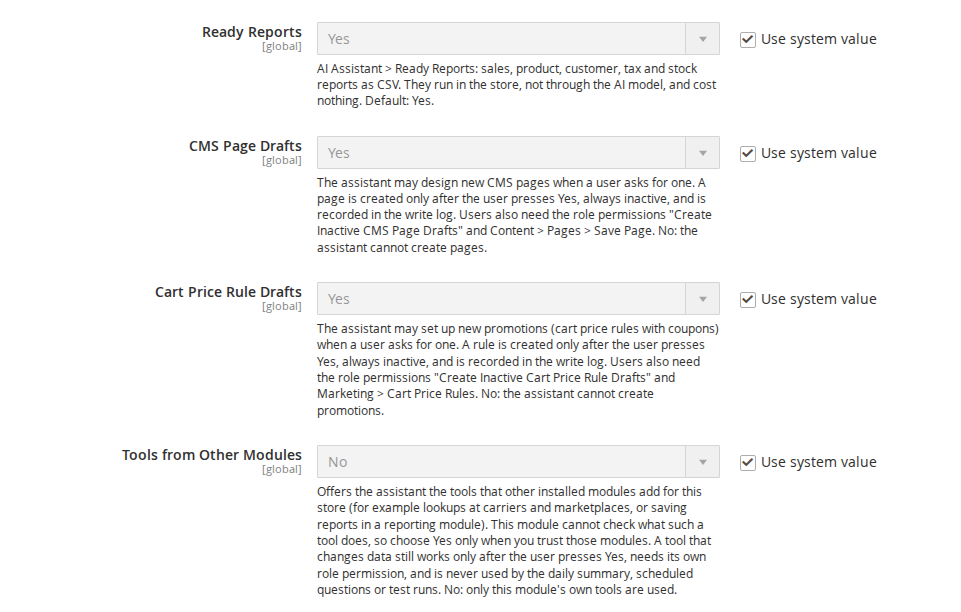
For the reports most shops need anyway, there is no need to ask at all. Ready Reports has predefined sales, product, customer, tax and stock reports as CSV downloads, and they do not use the AI at all, so they cost nothing to run.
From "can you make a page for this?" to a draft in your admin
Answers are useful, but some jobs are about making something. Two of the most common are exactly the ones that eat time: a CMS page for a campaign, and the cart price rule behind it.
You can describe the page the way you would brief a designer: "a landing page for the autumn collection, a short introduction, three highlights and a button to the category". The assistant prepares it as a CMS page draft. If you add an OpenAI key, it can also generate illustrations for the page, such as a banner, so you are not left waiting for artwork before you can see the layout. For promotions it works the same way: "15% off the new collection for logged-in customers from Friday to Sunday, one use per customer" becomes a cart price rule draft with those settings.
Two things are deliberate here. First, nothing is created until you say so. The assistant shows what it is about to create, with Yes and No buttons, and only a Yes creates it. Second, what it creates is always inactive. The CMS page is not visible to customers and the cart price rule does not apply until someone in your team checks it and switches it on in the usual Magento screens. The assistant saves you the building. The decision to publish stays with a person.
Why it cannot break anything
An assistant that can read your orders is useful. One that could change them on its own would be a risk, so we built the module around a simple rule: it reads, and it only creates the few inactive drafts and records described above, after you confirm.
The database connection it uses is switched to read-only by the server for every query, so even a badly written query cannot change data. For production we recommend a separate database user that only has read rights, and the module prints the grants for it. Personal data is masked before anything is sent to the AI provider: names, email addresses and phone numbers become partial values such as ja***@example.com, and the tables and columns that hold passwords, login tokens and payment details are blocked from its queries. Only the admin users you allow can use the chat at all, each permission (tickets, cost analytics, each type of draft) is a separate role setting, and every creation is written to a log with who confirmed it. Questions that run on their own, such as scheduled questions and the daily summary, never get the tools that create things.
We are also open about the limits. Free text that a customer typed, such as an order comment, can contain a name that the masking does not recognise. The questions you type are sent as you write them. A CSV you download contains real data, because that is what you asked for. And the module uses your own API key from Anthropic or OpenAI, so the AI provider bills you for the usage. Cost Analytics shows what every conversation cost, and you can set a monthly budget after which the chat stops taking new questions.
Is it worth it for your shop?
If you rarely change anything in the admin and an agency handles the rest, probably not yet. Where it pays off is a shop where the same people run marketing, customer service and the catalogue, and spend part of every week finding things out: why a rule did not apply, what happened to an order, which products need attention, what an error in the log means. Those questions now take a few minutes of reading instead of an afternoon of clicking, and the campaign page starts as a draft rather than an empty editor.
The AI Assistant module page lists what it needs and links to an admin demo where you can see the chat, the reports and the settings.
From our shop
Related Products
-
AI Assistant
An AI chat in the Magento admin for the users you choose: ask about orders, stock, errors and settings in plain language, with read-only database access, masked personal data and a cost you can see and cap.
- Version v1.5.3
$699
