

Social Login for Magento 2
One-click sign-in and registration with Google, Facebook and X for Magento 2. Luma and Hyvä, no third-party SDKs.
- Magento 2.4.7 – 2.4.9
- Hyvä
- Luma
- Version v1.3.0
Free
Let shoppers sign in and register with the accounts they already use — on your sign-in page and at checkout.
$149
One-off payment, with 12 months of updates.
Same module and updates on both; the licence covers the platform you choose.
No subscription or automatic renewal. Keep using the versions included in your update period. Update and licence details
Composer package softaware/module-social-login-pro
Social Login Pro adds Sign in with Apple, Microsoft personal and work accounts, LinkedIn, Amazon and GitHub to Softaware Social Login. The new buttons join the existing ones on the sign-in page, at checkout and everywhere else you show them, and follow the same account linking rules.
Each provider is implemented without third-party SDKs: Apple's client secret is signed for every request, and ID tokens are validated against each provider's published keys.
Apple for iPhone users, Microsoft and LinkedIn for business buyers, Amazon for shoppers, GitHub for developers.
Apple's client secret is signed per request, ID tokens are checked against each provider's keys, and unverified emails are never trusted.
The five providers join the existing buttons, placements, Connected Accounts page and admin grid of Social Login.
All features
Feature tour
01 / 05
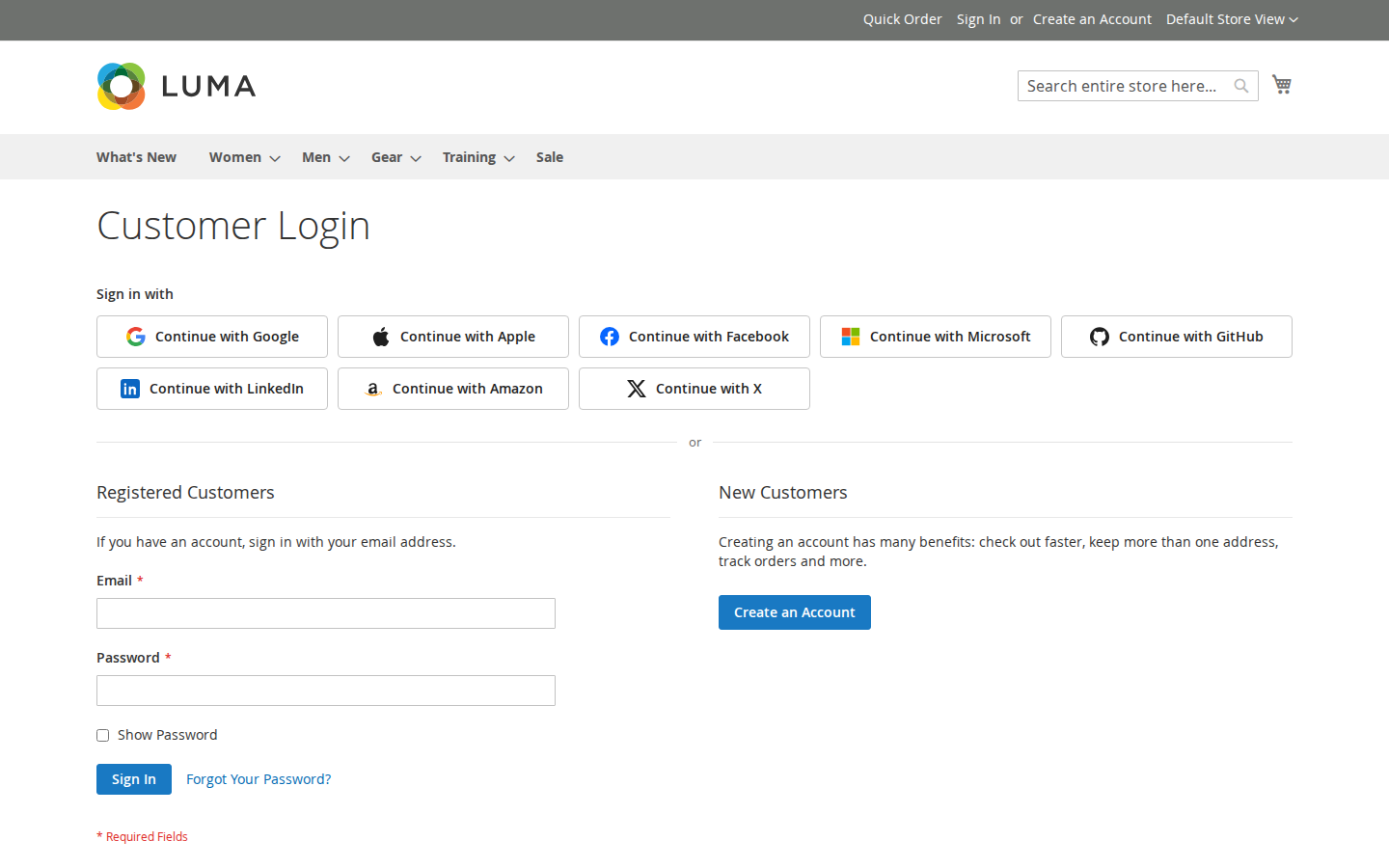
Apple, Microsoft, LinkedIn, Amazon and GitHub appear next to Google, Facebook and X, in the order you choose.
02 / 05
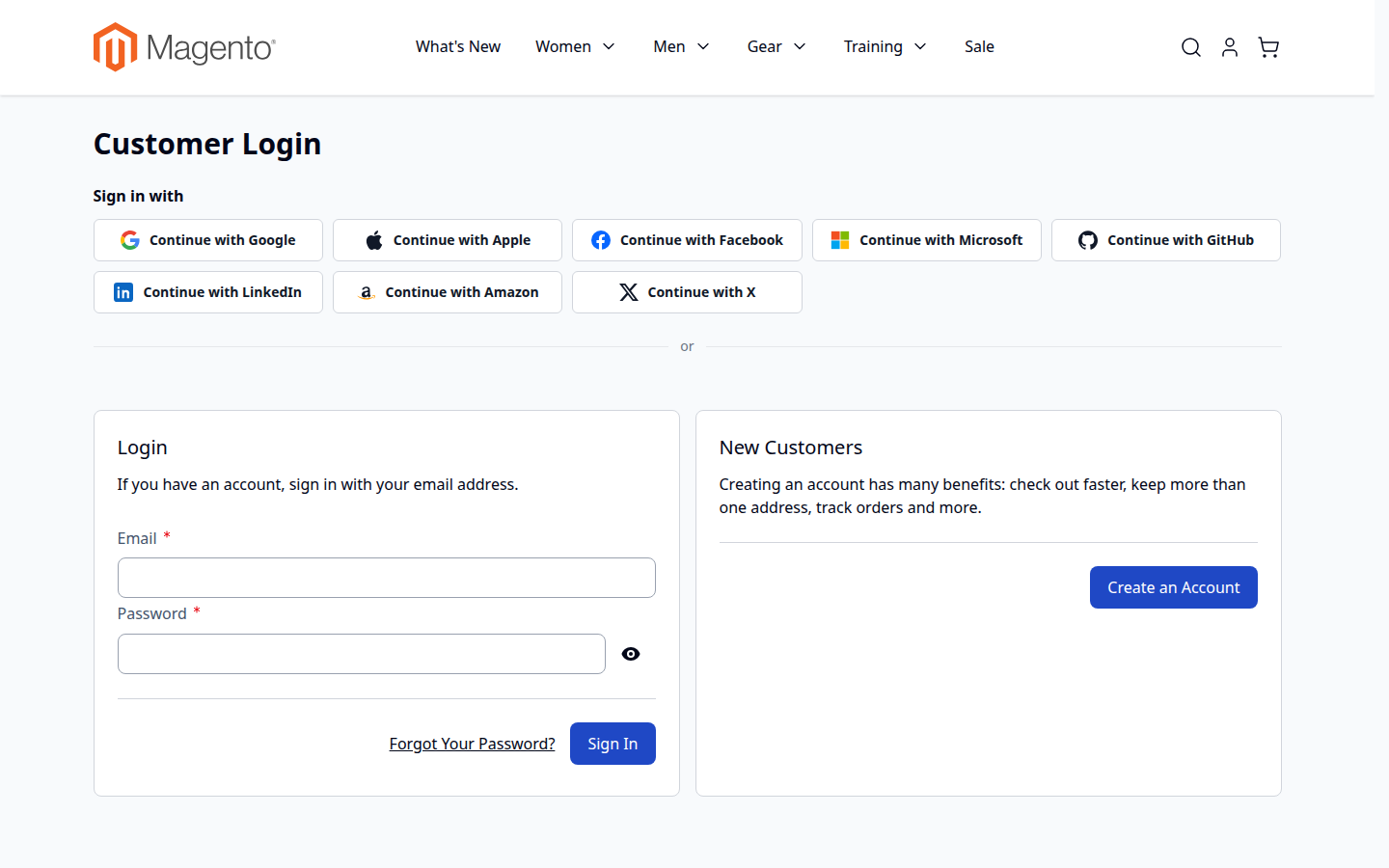
Each provider brings its own icon for the Luma and Hyvä templates of Social Login.
03 / 05
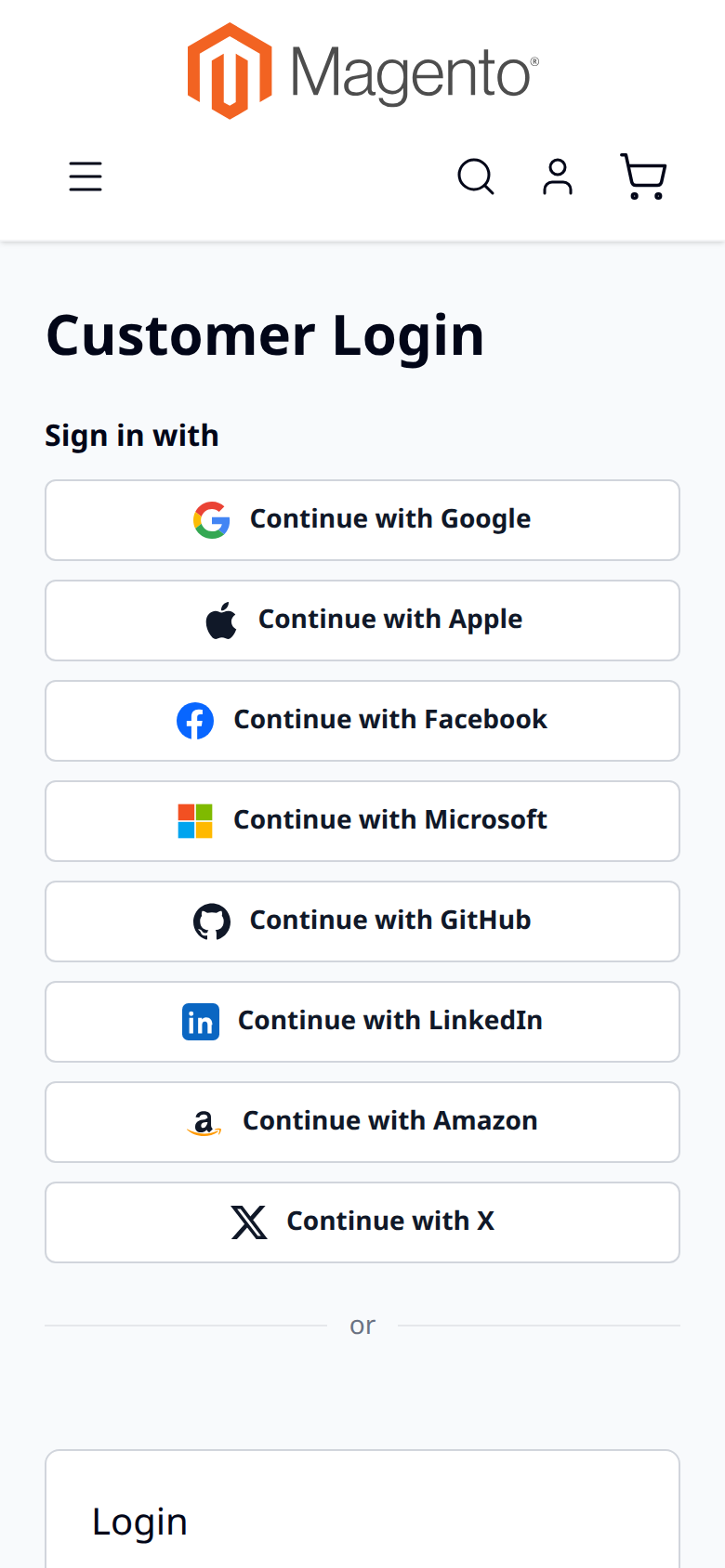
Buttons stack on small screens, where Sign in with Apple is often the quickest way in.
04 / 05
Paste the Services ID, Team ID, Key ID and the .p8 key. The client secret is created and signed for every request.
05 / 05
The common tenant by default, or limit sign-in to consumers, organisations or your own tenant.
Live demo
A full Magento store with the module installed, on Luma and on Hyvä. The admin demo signs you in with one click.
Compatibility
| Magento | 2.4.7 – 2.4.9 |
|---|---|
| Platforms | Magento Open Source, Adobe Commerce (incl. Cloud) |
| Storefront themes | Luma Blank Hyvä |
| PHP | 8.2 – 8.5 |
| Latest version | 1.0.0 · 7 Oct 2026 |
| composer.json requires | php ~8.2.0||~8.3.0||~8.4.0||~8.5.0 ext-json * ext-openssl * magento/framework ~103.0.7 softaware/module-core ^1.0 softaware/module-social-login ^1.3 |
Installation
After you buy, create a Composer key in your account. Then, in the root of your Magento project:
01Add the repository and your key (once per project)
composer config repositories.softaware composer https://repo.softawarecommerce.com
composer config --auth http-basic.repo.softawarecommerce.com PUBLIC_KEY PRIVATE_KEY
02Install the module
composer require softaware/module-social-login-pro
03Enable it
bin/magento setup:upgrade
bin/magento setup:di:compile
bin/magento setup:static-content:deploy
bin/magento cache:flush
The last three are only needed in production mode.
Prefer a zip? Every version you are entitled to can be downloaded from My modules. More about Composer access
User guide
For version 1.0.0. The same guide comes with the module, in docs/user-guide.md.
Social Login Pro adds Apple, Microsoft, LinkedIn, Amazon and GitHub to Softaware Social Login, next to Google, Facebook and X. This guide covers installation, the setup of each provider and compatibility. For everything else (where the buttons appear, popup or redirect, accounts, Connected Accounts, admin tools, CLI, privacy and troubleshooting) see the Social Login user guide; it applies to these providers too.
| Magento | Open Source or Adobe Commerce 2.4.7 – 2.4.9 |
| PHP | 8.2 – 8.5 with ext-openssl and ext-json |
| Themes | Luma, Blank and themes based on them; Hyvä 1.3+ |
| Other | softaware/module-social-login 1.3 or later and softaware/module-core (installed automatically) |
With Composer, using the access keys from your account on shop.softawarecommerce.com (if the SoftAware repository is already configured for Social Login, only the composer require line is needed):
composer config repositories.softaware composer https://repo.softawarecommerce.com
composer config --auth http-basic.repo.softawarecommerce.com PUBLIC_KEY PRIVATE_KEY
composer require softaware/module-social-login-pro
bin/magento setup:upgrade
bin/magento setup:di:compile            # production mode only
bin/magento setup:static-content:deploy # production mode only
bin/magento cache:flush
The module has no templates or styles of its own, so no Hyvä Tailwind build is needed for it.
To update later: composer update softaware/module-social-login-pro, then the same bin/magento commands.
Stores > Configuration > Softaware > Social Login (also under Softaware > Social Login > Configuration). Social Login Pro adds the groups Apple, Microsoft, GitHub, LinkedIn and Amazon between Social Login's provider groups. Social Login's General > Enabled must be Yes.
Each provider has Enabled, its credentials (secrets are stored encrypted), an optional Button Label (empty = "Continue with …") and a Sort Order for the button position. All settings can be set per website and store view.
When you set Enabled = Yes, the callback URL for the current store view is shown below the field, for example https://www.example.com/sociallogin/auth/callback/provider/apple/. Register it at the provider exactly as shown; with several store views or domains, register one per store view URL.
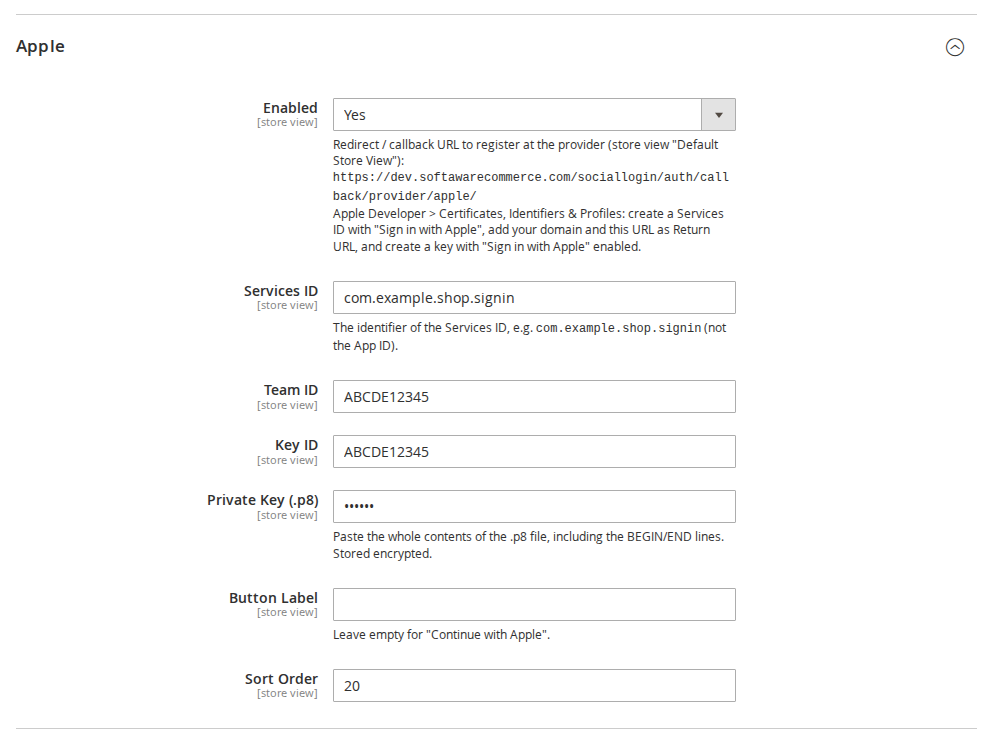
com.example.shop.signin, not the App ID), your Team ID, the Key ID, and paste the whole contents of the .p8 file (including the BEGIN/END lines) into Private Key (.p8).Apple posts its answer back to the store (form_post); the module restores the shopper's session, so the cart is kept. Apple sends the customer's name only on the first authorisation and lets customers hide their email address. If name or email is missing, the customer completes a short form once.
common (work, school and personal accounts, default), consumers (personal only), organizations (work and school only) or your tenant ID (only your organisation).Given and family name are only returned when you add them as optional claims in the app registration; otherwise the display name is split.
The email address is read from the customer's verified GitHub addresses (the primary one if verified).
Amazon does not say whether an address is verified, so new accounts get Magento's confirmation email and existing customers enter their password once to connect Amazon.
The default sort orders keep this order: Google (10), Apple (20), Facebook (30), Microsoft (40), GitHub (50), LinkedIn (60), Amazon (70), X (80). Change Sort Order to rearrange.
| Hyvä | Mobile |
|---|---|
 |  |
bin/magento softaware:social-login:self-testThe output starts with the registered providers (it should list apple, microsoft, github, linkedin, amazon) and includes the sections "Social Login Pro providers" and "Sign in with Apple client secret". No provider is contacted.
bin/magento module:disable Softaware_SocialLoginPro
composer remove softaware/module-social-login-pro
bin/magento setup:upgrade
Customers keep their accounts. Links to these providers stay stored and are shown with their provider code in Social Login's admin tools and under Connected Accounts, where they can be removed. The settings stay in the database.
Changelog
First release. Add-on for Softaware Social Login 1.3+.
response_mode=form_post callback with the shopper's session restored, ID token validated against Apple's JWKS (signature, issuer, audience, expiry, nonce); the name from the first authorisation is used for the new account.common tenant by default (or consumers, organizations, a tenant ID), PKCE S256, ID token validated against the tenant's JWKS; the issuer must match the token's tenant and the configured tenant is enforced. Email addresses count as verified only for personal accounts or with xms_edov.email_verified respected./user/emails are used.softaware_sociallogin/<code>/...): client ID, encrypted secrets, button label and sort order per provider, with the exact callback URL and setup hints shown in the admin.form-action) entries for the providers' sign-in hosts.FAQ
Something else on your mind? The developers who wrote the module answer before and after you buy.
Ask a question →Already installed it? Open a support ticket
Sign in and registration with Apple, Microsoft (personal, work and school accounts), LinkedIn, Amazon and GitHub, in addition to Google, Facebook and X from Softaware Social Login.
Yes. Social Login Pro is an add-on: it requires softaware/module-social-login 1.3 or later, which Composer installs automatically. All settings outside the provider groups (where the buttons appear, popup or redirect, accounts, Connected Accounts, admin tools) come from Social Login and apply to the Pro providers too.
Yes. The buttons are rendered by Social Login's Luma and Hyvä templates (Hyvä 1.3+, tested with 1.5).
No. Like Social Login, it uses Magento's HTTP client and PHP's OpenSSL extension only. The Apple client secret is signed locally with your .p8 key.
Apple, LinkedIn and GitHub when they report the address as verified, and Microsoft for personal accounts or work and school accounts whose domain is verified (xms_edov), provided Social Login's Existing Account with the Same Email setting is "Link automatically". Amazon gives no verification flag, so the customer enters the account password once.
Apple sends the name only on the very first authorisation and lets the customer hide the email address. If either is missing, the customer completes a short form once.
Yes. Set Tenant to your tenant ID (or organizations for any work or school account, consumers for personal accounts only). Tokens from other tenants are refused.
Yes, with each provider's Sort Order. By default the order is Google, Apple, Facebook, Microsoft, GitHub, LinkedIn, Amazon, X.
Customers keep their accounts and existing links stay stored. Social Login shows those links with their provider code; admins and customers can remove them. The settings stay in the database, so reinstalling restores them.
Magento Open Source and Adobe Commerce 2.4.7 – 2.4.9, PHP 8.2 – 8.5.
Support
One-click sign-in and registration with Google, Facebook and X for Magento 2. Luma and Hyvä, no third-party SDKs.
Free
From the blog
What the published data says about social login: how often it is used, which providers win, how passkeys and in-app browsers change the picture, and what that means for a Magento store.
Where to create each sign-in app, which callback URL and scopes to use, what each provider charges or reviews, and where the keys go in the Magento admin.
We use necessary cookies to run this site and, with your permission, Google Analytics to understand how it is used. You can accept analytics, reject it or choose in the settings. Cookie policy
Choose which cookies you allow. Necessary cookies are always on because the shop cannot work without them. You can change your choice at any time with the "Cookie settings" link.
Needed for the basket, checkout, login and security. They do not track you.
Google Analytics: how many people visit, which pages they read and how they found the site. It sets the _ga cookies and sends usage data to Google.